Ultimate Gaming PC Build Guide Switzerland
gaming PC build guide switzerland

Ultimate Gaming PC Build Guide Switzerland

Master the art of building your dream gaming machine tailored for Swiss prices and availability.

Start Building Your Dream PC

Key Takeaways

  • ✓ Building your own PC can save money compared to pre-builts.
  • ✓ Component compatibility is crucial for a successful build.
  • ✓ Swiss pricing and availability require specific consideration.
  • ✓ A custom build offers unparalleled upgrade flexibility.

How It Works

1
Plan Your Budget & Performance

Determine how much you're willing to spend and what games you want to play. This sets the foundation for component selection and prevents overspending or under-specifying.

2
Select Core Components

Choose your CPU, GPU, Motherboard, RAM, and Storage based on your budget and performance goals. Research compatibility carefully to avoid issues during assembly.

3
Source Parts in Switzerland

Identify reliable Swiss retailers for each component, considering pricing, warranty, and shipping. Compare options across different stores to get the best deals.

4
Assemble & Test Your PC

Follow a step-by-step assembly process, paying attention to static discharge and proper connections. Once built, install the OS and drivers, then rigorously test your new gaming rig.

Why Build Your Own Gaming PC in Switzerland?
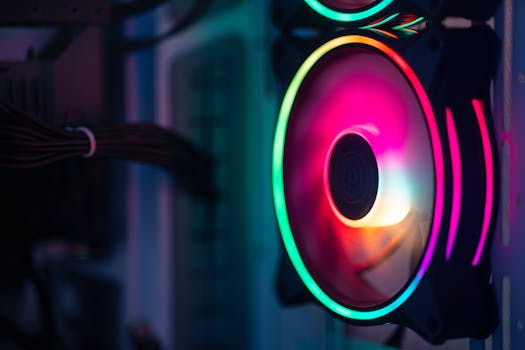
Close-up of a colorful RGB cooling fan in a gaming PC setup. Photo: Official Glacier / Pexels
The allure of building your own gaming PC, especially in a market like Switzerland, extends far beyond mere hobbyism. It's an empowering journey that offers significant advantages over purchasing a pre-built system. Firstly, cost-effectiveness is a major driver. While Switzerland is known for its higher cost of living, strategic component sourcing can often lead to a more powerful machine for your money. Pre-built systems frequently include markups for assembly, branding, and sometimes include components you might not prioritize, leading to an unbalanced build. By selecting each part yourself, you allocate your budget precisely where it matters most for your gaming needs, whether that's a top-tier GPU for demanding titles or a high-refresh-rate monitor for competitive play. Secondly, customization and control are paramount. A custom build allows for unparalleled personalization. You get to choose the aesthetics, from RGB lighting to case design, ensuring your PC not only performs well but also looks exactly how you envision it. More importantly, you control the quality of every single component. Unlike pre-builts where manufacturers might cut corners on less visible parts like the power supply unit (PSU) or motherboard, you can opt for reputable brands known for their reliability and performance. This granular control translates directly into a more stable, efficient, and long-lasting system. Thirdly, the upgrade path for a custom-built PC is significantly smoother. When a new generation of graphics cards or processors arrives, you can simply swap out the relevant component without needing to replace the entire system. This modularity ensures your investment remains relevant for longer, saving you money in the long run. In contrast, pre-built systems can sometimes use proprietary parts or form factors that limit future upgrades, forcing you into a full system replacement sooner than desired. For a deeper dive into component selection, refer to our ultimate guide to PC components. Finally, the educational aspect of building a PC is invaluable. You gain a fundamental understanding of how computer hardware works, which can be incredibly useful for troubleshooting, optimizing performance, and even pursuing a career in IT. The satisfaction of powering on a machine you assembled with your own hands, knowing every screw and cable was placed by you, is an experience that pre-built systems simply cannot offer. For Swiss gamers, navigating local retailers and understanding regional pricing adds another layer of accomplishment to this rewarding process, culminating in a machine perfectly tuned for their unique gaming requirements and budget.

Essential Components for Your Swiss Gaming Rig
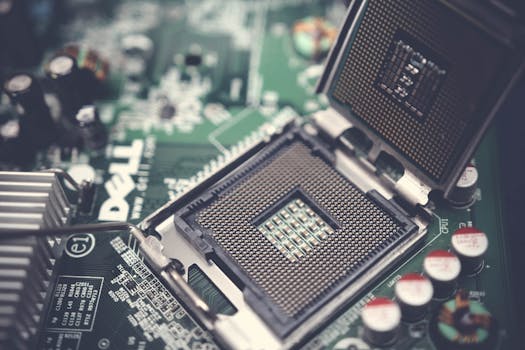
Detailed close-up shot of a computer motherboard featuring an open CPU socket and electronic components. Photo: Pok Rie / Pexels
Building a gaming PC in Switzerland requires careful consideration of each core component, balancing performance, compatibility, and local availability/pricing. The Central Processing Unit (CPU) and Graphics Processing Unit (GPU) are the twin pillars of any gaming system. For CPUs, Intel's Core i5/i7/i9 series and AMD's Ryzen 5/7/9 series offer excellent choices. For gaming, a strong clock speed and sufficient core count (typically 6-8 cores for modern gaming) are key. The GPU, however, is often the most critical component for gaming performance. NVIDIA's GeForce RTX series and AMD's Radeon RX series dominate the market. Your choice here will largely dictate the resolutions and frame rates you can achieve. Always aim for the best GPU your budget allows, as it will have the most significant impact on your gaming experience. The Motherboard acts as the nervous system, connecting all your components. Ensure it's compatible with your chosen CPU (socket type, e.g., AM4 for older Ryzen, AM5 for newer Ryzen, LGA1700 for modern Intel) and has enough slots for RAM, M.2 SSDs, and PCIe lanes for your GPU. Chipset features (e.g., B650/X670 for AMD, B760/Z790 for Intel) also determine connectivity and overclocking potential. Random Access Memory (RAM) is crucial for multitasking and loading game assets quickly. 16GB is the current sweet spot for most gaming, with 32GB becoming increasingly common for high-end systems or future-proofing. Opt for DDR4 or DDR5 RAM with a good speed (e.g., 3200MHz+ for DDR4, 6000MHz+ for DDR5) and low latency. Storage is twofold: a fast Solid State Drive (SSD) for your operating system and frequently played games, and potentially a larger Hard Disk Drive (HDD) for mass storage of less-accessed files. NVMe M.2 SSDs are the fastest option, offering incredible load times. Ensure your motherboard has M.2 slots. The Power Supply Unit (PSU) is often overlooked but is vital for system stability and longevity. Choose a reputable brand with sufficient wattage (calculated based on your CPU and GPU power draw, plus a buffer) and an 80 PLUS efficiency rating (Bronze, Gold, Platinum, Titanium). Never skimp on the PSU. Finally, the PC Case not only houses all your components but also plays a critical role in airflow and aesthetics. Consider its size (ATX, Micro-ATX, Mini-ITX), cooling potential (fan mounts, radiator support), and cable management features. Proper airflow is essential to prevent overheating, especially in demanding gaming scenarios. Finding these components at competitive prices in Switzerland involves exploring various online retailers like Digitec Galaxus, Brack.ch, and smaller specialist stores. Keep an eye on promotions and be prepared to compare prices across multiple vendors to optimize your budget for this gaming PC build guide switzerland.

Building Your PC: Step-by-Step Assembly & Software
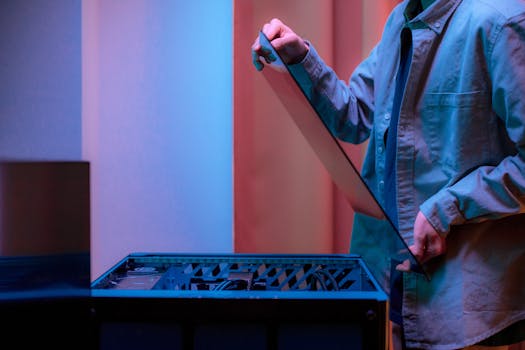
A man carefully fits a glass panel onto a gaming PC while adjusting internal cables. Photo: Ron Lach / Pexels
Once you've meticulously selected and acquired all your components, the exciting phase of assembly begins. Before you even open a single box, ensure you have a clean, spacious, and static-free workspace. An anti-static wrist strap is highly recommended to protect sensitive components from electrostatic discharge, which can cause irreparable damage. Start by installing the CPU onto the motherboard. Carefully lift the retention arm, align the CPU’s triangular marker with the one on the socket, and gently lower it into place without forcing it. Close the retention arm. Next, install the CPU cooler. If it's an air cooler, apply thermal paste (if not pre-applied) and mount it according to the manufacturer's instructions. For AIO liquid coolers, mount the pump to the CPU and the radiator to the case. After the CPU and cooler are in place, install the RAM modules. Open the clips on the DIMM slots, align the RAM notch with the slot key, and firmly press down until the clips snap into place. Then, install any NVMe M.2 SSDs into their dedicated slots on the motherboard, securing them with the small screw provided. With these core components on the motherboard, it’s often easier to install the motherboard into the PC case next. Align the motherboard with the standoffs in the case and secure it with screws. Ensure the I/O shield is properly installed beforehand if it’s a separate piece. Now, install the graphics card (GPU). Open the PCIe retention clip on the motherboard, align the GPU with the top PCIe x16 slot, and firmly push it down until it clicks into place. Secure it to the case with screws. Connect all necessary power cables from the PSU to the motherboard (24-pin ATX, 8-pin CPU), GPU, and any storage drives. Route cables neatly behind the motherboard tray for better airflow and aesthetics. Connect the case's front panel connectors (power switch, reset switch, USB ports, audio jacks) to the corresponding headers on the motherboard. This step can be tricky, so consult your motherboard manual carefully. With hardware assembly complete, it’s time for software. First, install your operating system, typically Windows 10 or 11. Create a bootable USB drive with the OS installer, plug it into your new PC, and follow the on-screen prompts. Once the OS is installed, download and install the latest drivers for your motherboard chipset, GPU, and any other peripherals. This is crucial for optimal performance and stability. Finally, install your favorite games and perform benchmarks to ensure everything is running as expected. Troubleshooting can be part of the process; if issues arise, double-check all connections and consult online forums or your motherboard manual. This detailed gaming PC build guide switzerland ensures you cover all bases for a flawless setup, and for any specific part questions, our component compatibility checker can be a lifesaver.

Optimizing Your Gaming Experience & Common Pitfalls
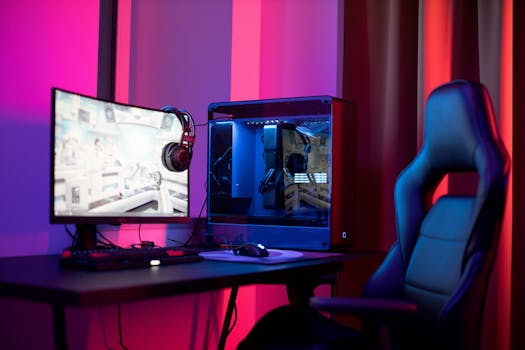
A sleek gaming setup featuring a high-end PC, widescreen monitor, and ergonomic chair lit by neon lights. Photo: Ron Lach / Pexels
Building your gaming PC is just the first step; optimizing it ensures you get the most out of your investment. Software optimization begins with keeping your operating system and drivers up to date. Graphics card manufacturers frequently release new drivers that enhance performance and fix bugs for the latest games. Regularly check for updates from NVIDIA and AMD. Beyond drivers, adjust in-game settings to strike a balance between visual fidelity and frame rate. Experiment with anti-aliasing, shadow quality, and texture settings to find your personal sweet spot. Many games offer optimization guides online specific to your GPU. Consider using game mode features in Windows or specific optimization software provided by your GPU manufacturer to prioritize gaming performance. Hardware optimization often revolves around cooling and overclocking. Ensure your case fans are configured for optimal airflow – typically intake fans at the front/bottom and exhaust fans at the top/rear. Monitor your CPU and GPU temperatures using software like HWMonitor or MSI Afterburner. If temperatures are consistently high, consider upgrading your CPU cooler or adding more case fans. Overclocking your CPU or GPU can yield significant performance gains, but it requires careful research and understanding of the risks involved. Start with small increments and monitor stability and temperatures closely. Only attempt overclocking if you are comfortable with the process, as improper settings can lead to system instability or hardware damage. Common pitfalls to avoid during your gaming PC build guide switzerland journey include neglecting the power supply. A cheap, underpowered, or unreliable PSU can lead to system instability, component damage, and can even be a fire hazard. Always invest in a reputable brand with sufficient wattage and an 80 PLUS rating. Another mistake is poor cable management. While it might seem cosmetic, tangled cables obstruct airflow, leading to higher temperatures and reduced component lifespan. Take the time to route cables neatly. Forgetting to install all necessary drivers post-OS installation is another frequent issue, which can lead to poor performance or non-functional components. Finally, ignoring static electricity during assembly can instantly kill components. Always use an anti-static wrist strap or at least ground yourself frequently by touching a metal part of your case while unplugged. Always double-check component compatibility before purchasing. Tools like PCPartPicker can help verify that your chosen CPU, motherboard, RAM, and GPU will work together seamlessly. Don't rush the build process; take your time, follow instructions, and consult manuals. The satisfaction of a perfectly running custom-built gaming PC is well worth the effort.

Comparison

FeatureBudget Build (CHF 800-1200)Mid-Range Build (CHF 1200-1800)High-End Build (CHF 1800-2500+)
CPUAMD Ryzen 5 5600 / Intel Core i5-12400FAMD Ryzen 7 7700X / Intel Core i5-13600KAMD Ryzen 9 7900X3D / Intel Core i7-14700K
GPUNVIDIA RTX 3050 / AMD RX 6600NVIDIA RTX 4060 Ti / AMD RX 7700 XTNVIDIA RTX 4080 Super / AMD RX 7900 XTX
RAM16GB DDR4 3200MHz32GB DDR4 3600MHz / DDR5 6000MHz32GB DDR5 6400MHz+
Storage1TB NVMe SSD1TB NVMe SSD + 2TB HDD2TB NVMe SSD
PSU600W 80+ Bronze750W 80+ Gold850W+ 80+ Gold/Platinum
CoolingStock/Basic Air CoolerMid-range Air/AIO CoolerHigh-end AIO/Custom Loop

What Readers Say

"This gaming PC build guide for Switzerland was a lifesaver! I was intimidated by local pricing and component availability, but the detailed breakdown helped me choose parts and assemble my first custom rig without a hitch. My new PC runs everything flawlessly."

Marc S. · Zurich, ZH

"As a first-time builder, I found this guide incredibly user-friendly. It clarified complex topics and provided excellent advice on sourcing components within Switzerland. I saved hundreds of francs compared to pre-builts and now have a machine tailored to my exact needs."

Sophie L. · Geneva, GE

"Thanks to this guide, I successfully built a high-end gaming PC that consistently hits 144+ FPS in all my favorite titles. The tips on optimizing performance and avoiding common pitfalls were particularly valuable, resulting in a stable and powerful system."

Luca F. · Bern, BE

"The guide was very comprehensive, though I wish there were a few more specific Swiss retailer recommendations beyond the major ones. Still, the assembly instructions were clear, and I managed to build a great budget gaming PC. Highly recommend for aspiring builders."

Elena R. · Lucerne, LU

"Even with prior PC knowledge, this gaming PC build guide switzerland offered fresh insights, especially concerning local market nuances. It's a fantastic resource for anyone looking to build a powerful machine, whether for gaming, streaming, or professional work."

David H. · Lausanne, VD

Frequently Asked Questions

Is it really cheaper to build a gaming PC in Switzerland?

Generally, yes, building your own PC in Switzerland can be more cost-effective than buying a pre-built system. While individual component prices might sometimes fluctuate, you save on assembly fees, brand markups, and can precisely tailor your budget to performance priorities, avoiding unnecessary expenditures on components you don't need.

What if I make a mistake during assembly?

Making mistakes is a common concern for first-time builders. The key is to proceed slowly, consult your manuals, and watch video guides. Most common mistakes are fixable, like incorrect cable connections or forgotten standoffs. If you're unsure, stop, re-read, and don't force anything. Online communities and local tech shops can also offer assistance.

How do I choose compatible parts?

Component compatibility is crucial. The most important pairings are CPU and motherboard (socket type, chipset), RAM (DDR generation, speed), and GPU with your power supply (wattage, PCIe power connectors). Tools like PCPartPicker.com are invaluable for checking compatibility and identifying potential issues before you buy.

What's a good budget for a gaming PC in Switzerland?

A 'good' budget varies greatly depending on your desired performance. For entry-level 1080p gaming, CHF 800-1200 might suffice. Mid-range 1080p/1440p gaming typically requires CHF 1200-1800. For high-end 1440p/4K gaming, expect to spend CHF 1800-2500+. Remember, prices can fluctuate based on market conditions and sales.

Should I buy DDR4 or DDR5 RAM for my new build?

The choice between DDR4 and DDR5 depends on your CPU and motherboard. Newer Intel 12th/13th/14th Gen and AMD Ryzen 7000 series CPUs support DDR5, which offers higher speeds but is generally more expensive. If you're on a tighter budget or using an older CPU generation, DDR4 remains a viable and cost-effective option, offering excellent gaming performance.

Who should consider building their own gaming PC?

Anyone seeking maximum performance for their budget, craving complete control over their system's components, or looking for an engaging and educational project should consider building their own gaming PC. It's ideal for those who enjoy customizing, upgrading, and troubleshooting their tech.

Are there any warranty concerns when building a PC?

When building a PC, each component comes with its individual manufacturer's warranty, which is typically honored by the retailer you purchased it from. This differs from a pre-built PC where the entire system has a single warranty. Keep all your invoices and packaging, as they are essential for warranty claims.

What are the future trends in gaming PC hardware?

Future trends point towards more efficient CPUs and GPUs with integrated AI acceleration, faster DDR5 and eventually DDR6 RAM, wider adoption of PCIe 5.0 for storage and graphics, and increased focus on power efficiency. Expect continued advancements in cooling solutions and more sustainable manufacturing practices.

Ready to embark on the most rewarding gaming journey of your life? This comprehensive gaming PC build guide for Switzerland equips you with all the knowledge to construct a powerful, personalized, and cost-effective gaming rig. Take control of your gaming destiny and build the ultimate machine designed for Swiss excellence.

Topics: gaming PC build guide switzerlandcustom gaming computer CHPC parts switzerlandbuild gaming PC budgethigh-end gaming rig switzerland
Leo List

IE Escorts NO Escorts US Escorts NZ Escorts AU Escorts
Brampton weed
Adultwork EstrelaBet Vai de Bet R7 Bet Betão Galera Bet Rainbet Bet9ja Shop SportyBet BetKing Sisal Loto Foot Hollywoodbets YesPlay Odibets RushBet Jugabet BetWarrior BetCity MSport betPawa Fortebet