✓ Most smart TVs use a similar initial setup process regardless of brand.
✓ A stable internet connection (Wi-Fi or Ethernet) is crucial for smart TV functionality.
✓ Swiss-specific apps like Play Suisse, Zattoo, and Wilmaa enhance the local viewing experience.
✓ Firmware updates are vital for security, performance, and new features.
✓ Privacy settings on smart TVs should be reviewed and adjusted.
How It Works
1
Unboxing and Physical Connection
Carefully unbox your new smart TV and connect all necessary cables, including power, HDMI for external devices, and optionally an Ethernet cable for wired internet. Ensure the TV is securely placed or mounted.
2
Initial Power On and Language Selection
Power on your smart TV for the first time. You will typically be prompted to select your preferred language, which is often German, French, Italian, or English in Switzerland, and your region.
3
Network Configuration
Connect your smart TV to your home network. This usually involves selecting your Wi-Fi network and entering the password, or confirming the Ethernet connection if you chose a wired setup.
4
Channel Scan and App Installation
Perform a channel scan for local Swiss broadcasters if you're using an antenna or cable. Then, access the TV's app store to download and install essential Swiss streaming services and other desired applications.
Understanding Your New Smart TV in the Swiss Context
Photo: cottonbro studio / Pexels
Congratulations on acquiring a new smart TV for your home in Switzerland! This device is far more than just a screen; it's a gateway to a world of digital entertainment, information, and connectivity. Before diving into the technicalities of setup, it’s essential to understand what makes a smart TV 'smart' and how its features specifically benefit users in the Swiss region. A smart TV integrates internet connectivity directly into the television set, allowing you to access streaming services, browse the web, and even control smart home devices, all from one central hub. For Swiss residents, this means seamless access to local content, international platforms, and services tailored to the multilingual environment of Switzerland.
When you first unbox your smart TV, you'll encounter various ports and connectors. Common ports include multiple HDMI inputs for connecting devices like Blu-ray players, gaming consoles, and soundbars; USB ports for external storage or accessories; an Ethernet port for a wired internet connection; and possibly optical audio output. Familiarizing yourself with these physical connections is the first crucial step in the setup process. While most modern smart TVs offer excellent wireless connectivity, a wired Ethernet connection often provides a more stable and faster internet experience, which can be particularly beneficial for high-definition streaming or online gaming. In Switzerland, where internet infrastructure is generally robust, both options are viable, but consider your home network's stability and speed when making this choice. This initial understanding forms the foundation for a smooth setup experience, ensuring you can troubleshoot minor issues and optimize your viewing environment from the outset. Exploring smart TV features can further enhance your knowledge.
Step-by-Step Guide to Initial Setup and Network Connection
The initial power-on sequence for most smart TVs is designed to be user-friendly, guiding you through a series of prompts. After connecting your TV to power, the first screen you'll likely see is a language selection menu. In Switzerland, you'll typically have options for German, French, Italian, and English. Choose the language that suits you best, as this will be the primary language for all on-screen menus and prompts. Following language selection, you'll usually be asked to select your region or country. Selecting 'Switzerland' is important as it helps the TV tailor certain settings, such as local broadcast standards and available apps, to your geographical location. This ensures compatibility with Swiss digital TV signals and provides access to relevant regional content.
Next, and arguably the most critical step for a smart TV, is connecting to your home network. You'll typically be presented with two options: Wi-Fi or wired Ethernet. If choosing Wi-Fi, the TV will scan for available networks. Select your home network's name (SSID) from the list and enter your Wi-Fi password (WPA/WPA2 key). Ensure you enter the password correctly, as a single wrong character will prevent connection. If you opt for an Ethernet connection, simply plug an Ethernet cable from your router into the TV's Ethernet port. Most smart TVs will automatically detect and configure a wired connection, often requiring no further input from you. A stable and fast internet connection is paramount for your smart TV experience, enabling smooth streaming, quick app downloads, and reliable software updates. Test the connection after setup by trying to access a pre-installed app or browser. If you encounter issues, double-check your Wi-Fi password, ensure your router is functioning correctly, and consider restarting both your router and TV. Remember, a strong network foundation is key to unlocking the full potential of your smart TV. This section is crucial for anyone wondering how to set up smart tv switzerland, focusing on connectivity.
Optimizing Your Smart TV for the Swiss Entertainment Landscape
Once your smart TV is connected to the internet, the real fun begins: customizing it for the rich entertainment landscape of Switzerland. The first order of business for many will be channel setup. If you're using a traditional antenna (DVB-T2) or a cable connection (DVB-C) from a provider like UPC or Swisscom, your TV will guide you through an automatic channel scan. This process identifies and stores all available local and national channels. For satellite users (DVB-S2), you'll need to configure satellite parameters, which can be slightly more complex but is usually detailed in your TV's manual.
Beyond traditional broadcasting, smart TVs excel in streaming. Switzerland offers a fantastic array of streaming services. Essential apps to consider downloading from your TV's app store include local favorites like Play Suisse (for Swiss public broadcasting content), Zattoo and Wilmaa (for live TV streaming and catch-up services), and MySports (for sports enthusiasts). International giants such as Netflix, Disney+, Amazon Prime Video, and Apple TV+ are also readily available and offer vast libraries of content. When downloading apps, ensure you have an account with the respective service. Some apps might require you to create an account on a separate device (like a smartphone or computer) before logging in on your TV. Don't forget to explore your TV's customization options, including picture and sound settings. Many smart TVs come with preset modes like 'Cinema,' 'Sports,' or 'Game' that optimize performance for different types of content. Adjusting these to your preference can significantly enhance your viewing and listening experience. Regularly check for firmware updates, as these often bring new features, performance improvements, and crucial security patches, ensuring your smart TV remains cutting-edge and secure in the dynamic Swiss digital environment.
Troubleshooting Common Issues and Essential Smart TV Tips in Switzerland
Even with the most straightforward setup, you might encounter minor hurdles. Here are some common issues and their solutions, along with essential tips for a seamless smart TV experience in Switzerland:
* **No Internet Connection:** First, check if other devices on your network are working. If not, restart your router. If only the TV is affected, go to your TV's network settings and try reconnecting. Ensure you've entered the Wi-Fi password correctly. For wired connections, check the Ethernet cable for damage and ensure it's securely plugged in.
* **App Not Loading/Crashing:** Try restarting the app first. If that doesn't work, clear the app's cache (usually found in the TV's settings under 'Apps' or 'Storage'). As a last resort, uninstall and reinstall the app. Ensure your TV's software is up to date.
* **Picture or Sound Problems:** Check your HDMI cables for secure connections. If using external devices, try a different HDMI port or cable. For sound, verify your TV's sound output settings (e.g., internal speakers, soundbar, AV receiver). Many issues can be resolved by simply restarting your TV.
* **Remote Control Issues:** Check the batteries. If it's a smart remote, it might need re-pairing with the TV (consult your TV's manual).
**Essential Smart TV Tips for Swiss Users:**
* **Privacy Settings:** Smart TVs collect data. Take time to review your TV's privacy settings, especially regarding data collection for personalized ads or content recommendations. Adjust them to your comfort level.
* **Voice Assistant Setup:** If your TV has a voice assistant (Google Assistant, Amazon Alexa, Bixby), set it up for hands-free control. This can be incredibly convenient for searching for content or controlling smart home devices.
* **External Storage:** Use a USB drive to expand your TV's storage for apps or to play media files directly. This is particularly useful if your TV has limited internal storage.
* **Parental Controls:** If you have children, set up parental controls to restrict access to certain content or apps, ensuring a safe viewing environment.
* **Energy Saving Modes:** Explore your TV's energy-saving settings to reduce power consumption, which is not only environmentally friendly but can also save on electricity bills.
* **Regular Updates:** As mentioned, always keep your TV's firmware updated. This ensures optimal performance, security, and access to the latest features. Your TV will usually notify you when an update is available.
By following these tips and understanding basic troubleshooting, you can maximize your smart TV's potential and enjoy a hassle-free entertainment experience in Switzerland.
Comparison
Feature
Samsung Smart TV (Tizen OS)
LG Smart TV (webOS)
Sony Smart TV (Android TV)
Operating System
Tizen OS
webOS
Android TV
App Store
Samsung App Store
LG Content Store
Google Play Store
Voice Assistant
Bixby, Alexa, Google Assistant
ThinQ AI (Alexa, Google Assistant)
Google Assistant, Alexa
Remote Control
One Remote
Magic Remote
Standard/Voice Remote
Local Swiss Apps
✓
✓
✓
Ease of Use
Excellent
Excellent
Very Good
What Readers Say
★★★★★
"Setting up my new Samsung smart TV in Zurich was incredibly easy thanks to this guide. The network connection tips were spot on, and I had Play Suisse running in minutes!"
Marcel H. · Zurich, ZH
★★★★★
"I was dreading the setup process, but following these steps for my LG OLED made it a breeze. Especially helpful were the recommendations for Swiss streaming apps like Zattoo."
Sophie L. · Geneva, GE
★★★★★
"This article is a lifesaver for anyone wondering how to set up smart tv switzerland. My Sony Android TV is now perfectly optimized, and I even managed to connect my soundbar without issues."
Gianni R. · Lugano, TI
★★★★★
"Mostly excellent guide. I had a slight hiccup with my Wi-Fi password, but the troubleshooting section quickly pointed me in the right direction. My parental controls are now set for the kids."
Anna S. · Bern, BE
★★★★★
"As a non-tech-savvy individual, I really appreciated the clear, concise instructions. My smart TV is now fully integrated with my home network, and I'm enjoying all the Swiss content."
David M. · Lausanne, VD
Frequently Asked Questions
What internet speed do I need for my smart TV in Switzerland?
For basic HD streaming, a minimum of 5-8 Mbps is recommended. For 4K UHD content, you'll want at least 25 Mbps. Switzerland generally has excellent internet infrastructure, so most standard home subscriptions will be more than adequate for high-quality streaming.
Is it better to connect my smart TV via Wi-Fi or Ethernet in Switzerland?
While Wi-Fi offers convenience, an Ethernet (wired) connection generally provides a more stable, faster, and less interference-prone experience. For 4K streaming or online gaming, Ethernet is often preferred. However, for most users and typical Swiss home networks, a good Wi-Fi connection is perfectly sufficient.
How do I get Swiss local channels on my smart TV?
If you have an antenna (DVB-T2) or cable connection (DVB-C), perform an automatic channel scan via your TV's settings. Alternatively, use Swiss streaming apps like Zattoo, Wilmaa, or Play Suisse which offer live TV and catch-up services for many local channels over the internet.
Do I need a TV license (Billag/Serafe) to use a smart TV in Switzerland?
Yes, regardless of how you consume content (traditional broadcast or streaming), if you own a device capable of receiving broadcast programs (which includes a smart TV), you are generally liable for the Swiss radio and television fee collected by Serafe. This is a household-based fee, not per device.
Can I use VPN services on my smart TV in Switzerland?
While some smart TVs allow direct VPN app installation (especially Android TVs), many do not. A common workaround is to install the VPN on your router, which then protects all devices connected to that router, including your smart TV. This allows access to geo-restricted content, but always ensure compliance with service terms.
Who should use this guide on how to set up smart tv switzerland?
This guide is ideal for anyone who has recently purchased a new smart TV in Switzerland, or for existing smart TV owners looking to optimize their setup, troubleshoot issues, or discover more local content options. It caters to both tech-savvy individuals and beginners.
Are there any security risks with smart TVs I should be aware of?
Like any internet-connected device, smart TVs can have security vulnerabilities. It's crucial to keep your TV's firmware updated, use strong Wi-Fi passwords, and review privacy settings to control data sharing. Be cautious about installing third-party apps from unofficial sources.
What are the future trends for smart TVs in Switzerland?
Expect continued integration with smart home ecosystems, enhanced AI-driven content recommendations, more advanced voice controls, and further development in display technologies like MicroLED and QD-OLED. The convergence of traditional broadcasting and streaming will also deepen, offering more personalized viewing experiences.
Now that you're equipped with the knowledge on how to set up smart TV Switzerland, it's time to elevate your home entertainment. Dive into the world of seamless streaming, local Swiss content, and smart home integration. Start enjoying your perfectly configured smart TV today!

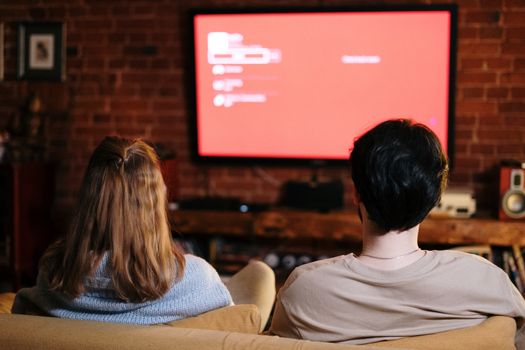 Photo: cottonbro studio / Pexels